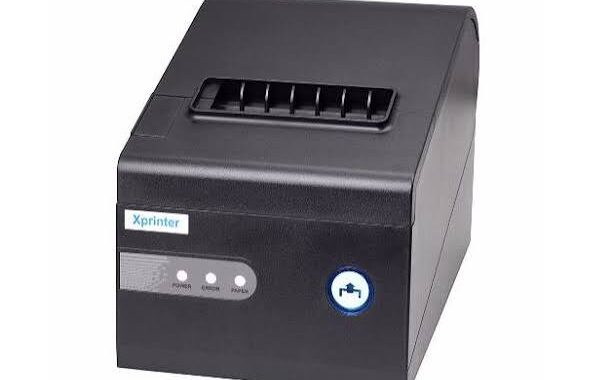

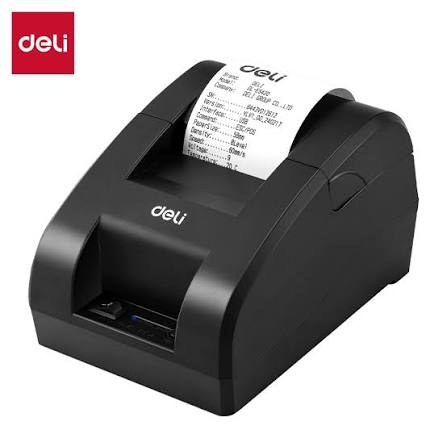
Wireless connectivity is transforming how businesses manage printing operations. In retail stores, restaurants, warehouses, healthcare facilities, and logistics centers, employees increasingly rely on connected devices to access information and complete tasks without being restricted by physical cables. Thermal printing technology is evolving alongside these changes, with wireless communication making it easier to send print jobs from computers, tablets, smartphones, and business systems.
Traditional printers often depend on direct USB or wired network connections. Although these methods remain useful, wireless options such as Wi-Fi and Bluetooth provide greater flexibility for different working environments. Modern businesses can use a connected Thermal Printer to simplify printing workflows, support mobile operations, and improve communication between devices.
Understanding how wireless connectivity works and what it offers can help businesses select printing equipment that meets their operational requirements.
Understanding Wireless Connectivity in Thermal Printers
Wireless connectivity allows a printer to receive printing instructions without requiring a direct physical connection to the device sending the print job. Instead, information travels through a wireless communication technology.
Depending on the model, thermal printers may support Wi-Fi, Bluetooth, or other wireless communication options.
These technologies serve different purposes. Wi-Fi is commonly used for network-based printing, while Bluetooth is useful for direct communication between nearby devices.
Wireless printing can support several everyday activities, including:
- Printing receipts from mobile POS terminals.
- Producing shipping labels from tablets.
- Sending order tickets from restaurant systems.
- Printing barcode labels from warehouse devices.
- Generating identification labels from mobile computers.
- Sharing printers across compatible business networks.
The available functions depend on the printer’s hardware, software, supported protocols, and connected applications.
1. Wi-Fi Connectivity for Network-Based Printing
<AsyncImage query=”wireless WiFi thermal receipt printer retail point of sale counter” aspectRatio=”16:9″ width=”100%”/>
Wi-Fi is one of the most useful wireless technologies for businesses that need to connect printers to an existing local network.
A Wi-Fi-enabled thermal printer can communicate with compatible computers, tablets, POS terminals, and other network-connected devices. This allows multiple authorized users or systems to send print jobs without connecting directly to the printer through a USB cable.
Benefits of Wi-Fi Printing
Flexible printer placement: Businesses can install printers in convenient locations within the supported wireless coverage area rather than placing them directly beside a computer.
Shared access: Multiple compatible devices can send jobs to a network-connected printer, depending on its configuration.
Simplified workstation organization: Removing some physical cables can help reduce clutter around counters and workstations.
Support for distributed operations: Employees in different areas of a store or facility may be able to access the same printing equipment through the network.
However, wireless performance depends on network quality, signal strength, interference, and device configuration. Businesses should ensure that printers are installed within suitable coverage areas.
2. Bluetooth Connectivity for Mobile Printing
<AsyncImage query=”portable Bluetooth thermal receipt printer connected to smartphone mobile POS” aspectRatio=”16:9″ width=”100%”/>
Bluetooth provides a convenient way to connect compatible thermal printers directly to nearby mobile devices.
It is particularly useful for portable receipt printers and mobile printing applications where employees need to produce documents while moving around a workplace.
Common Bluetooth Applications
- Mobile payment and checkout systems.
- Delivery receipt printing.
- Field service documentation.
- Portable ticketing operations.
- Temporary sales counters.
- On-site order processing.
For example, a delivery employee may use a smartphone or tablet to send a transaction record to a portable Bluetooth printer. This makes it possible to produce a printed receipt without returning to a fixed workstation.
Bluetooth is generally intended for relatively short-range communication. Businesses should check the supported Bluetooth version, pairing requirements, operating-system compatibility, and connection range before purchasing equipment.
3. Supporting Mobile Point-of-Sale Systems
Wireless connectivity has become increasingly important in modern point-of-sale environments.
Traditional checkout systems often rely on fixed counters with connected computers and receipt printers. Mobile POS systems allow employees to process transactions using tablets, smartphones, and portable payment devices.
Wireless thermal printers can support these workflows by receiving receipt-printing instructions from compatible mobile terminals.
How Wireless Printing Improves Retail Operations
- Employees can complete transactions at different locations.
- Temporary checkout stations can be established more easily.
- Printed receipts can be generated without returning to a fixed computer.
- Businesses can create more flexible service arrangements.
- Retail teams can reduce some limitations associated with wired equipment.
This flexibility is useful in pop-up shops, outdoor markets, events, and stores that offer mobile checkout services.
4. Improving Restaurant Order Management
Restaurants often need to send order information from customer-facing systems to kitchen or service areas.
Wireless thermal printers can support these workflows by receiving order tickets from compatible POS software over a network or direct wireless connection.
For example, a restaurant may use network-connected printers in different preparation areas. When an order is entered into the POS system, the relevant printer can receive the corresponding ticket.
Benefits for Food Service Businesses
Flexible printer locations: Printers can be installed in suitable preparation or service areas where wireless coverage is available.
Fewer cable restrictions: Some installations may require less physical cabling, making equipment placement more convenient.
Faster order communication: Compatible systems can transmit order information directly to designated printers.
Support for changing layouts: Businesses may find it easier to reorganize certain printing stations without moving network cables.
Wireless printers should still be configured carefully to ensure that orders reach the correct destination. Network reliability and backup procedures are particularly important during busy service periods.
5. Enhancing Warehouse and Inventory Operations
<AsyncImage query=”warehouse worker using handheld barcode scanner with wireless thermal label printer” aspectRatio=”16:9″ width=”100%”/>
Warehouses depend on accurate product identification, barcode labels, shipping documents, and inventory records. Wireless printing can help employees perform these tasks in a more flexible way.
A warehouse worker may use a handheld computer or tablet to retrieve product information and send a label-printing request to a compatible network printer.
This can support activities such as:
- Inventory identification.
- Product labeling.
- Shipment preparation.
- Shelf and storage location marking.
- Returns processing.
- Package tracking.
For larger facilities, network-connected printers can be positioned near relevant work areas. This may reduce the need to carry printed labels from a central workstation.
The actual benefit depends on wireless coverage, printer placement, software integration, and the layout of the warehouse.
6. Reducing Cable Clutter and Installation Complexity
Wired printers require physical connections between the printer and other equipment. In some environments, installing cables across counters, workstations, or production areas can make equipment arrangement more difficult.
Wireless connectivity offers an alternative for supported printing workflows.
Businesses may benefit from:
- Fewer direct connection cables.
- More flexible workstation layouts.
- Easier placement of compatible mobile printers.
- Reduced cable congestion around service counters.
- More convenient changes to certain equipment arrangements.
Wireless printing does not eliminate every cable. Printers generally still need a power source unless they are designed with rechargeable batteries. Network infrastructure may also require wired components.
Nevertheless, wireless communication can simplify installations where direct printer connections are inconvenient.
7. Integration with Cloud-Based Business Systems
Cloud-based software is changing how businesses manage sales, inventory, shipping, and customer information. Wireless thermal printers can support these systems when the printer and software provide compatible integration methods.
For example, an online retailer may use cloud-based order management software to process customer purchases and prepare shipping information. A compatible printing application can send label instructions to an authorized printer connected through the business network.
Potential Advantages of Cloud-Connected Printing
Centralized management: Businesses may be able to manage printing settings and workflows through supported software platforms.
Multi-location operations: Organizations can coordinate certain printing activities across different locations.
Flexible access: Authorized employees may send print jobs from compatible devices without being tied to a particular workstation.
Workflow automation: Integrated systems can generate printing requests when specific business events occur, such as an order being confirmed or a shipment being prepared.
Not every wireless printer supports direct cloud printing. Some require a local computer, print server, mobile application, or manufacturer-supported service. Businesses should verify the available integration options before purchasing.
8. Improving Printing Flexibility for Small Businesses
Small businesses often operate in limited spaces and may need to change their layouts as customer demand or staffing arrangements evolve.
Wireless thermal printers can provide additional flexibility by allowing compatible devices to communicate without a direct USB connection.
A small retailer, for example, may use a tablet-based POS system and a wireless receipt printer. A home-based online seller may use a compatible mobile device to generate shipping labels.
This can be particularly helpful for:
- Startups with limited workspace.
- Small retail stores.
- Market stalls and temporary shops.
- Mobile service providers.
- Small restaurants and cafes.
- Independent delivery businesses.
The most suitable connectivity option depends on the number of connected devices, working distance, and the type of printing required.
9. Wireless Printing and Device Compatibility
Wireless connectivity does not automatically guarantee that every device can print successfully.
A printer must support the communication method and software environment used by the connected equipment.
Before purchasing a wireless thermal printer, businesses should check:
- Compatibility with Windows, macOS, Android, or iOS, where relevant.
- Supported Wi-Fi standards and network frequencies.
- Bluetooth version and pairing requirements.
- Available printer drivers.
- Supported printing languages or protocols.
- Compatibility with POS and label design applications.
- Mobile printing application availability.
Some printers support only selected operating systems or require dedicated applications. Confirming compatibility before installation can prevent unnecessary setup problems.
10. Understanding Wireless Printing Security
<AsyncImage query=”secure business wireless network router office computer printer setup” aspectRatio=”16:9″ width=”100%”/>
Wireless printing introduces network security considerations because printing devices communicate through wireless connections.
A poorly configured printer may create unnecessary risks, particularly in businesses that process customer information, shipping details, or internal documents.
Organizations should follow appropriate security practices when connecting thermal printers to business networks.
Recommended Security Measures
Use secure network encryption: Connect printers through properly protected Wi-Fi networks rather than unsecured public connections.
Change default credentials: If the printer provides administrative access, replace default passwords with strong, unique credentials.
Restrict access: Allow only authorized devices and users to send print jobs where supported.
Update firmware: Install compatible security and firmware updates according to manufacturer recommendations.
Separate business networks: Where appropriate, use network segmentation to separate printing equipment from sensitive systems.
Review remote access settings: Disable unnecessary services and avoid exposing printer administration interfaces directly to the public internet.
Security features vary between models. Businesses should review the manufacturer’s documentation and follow their organization’s IT policies.
11. Managing Wireless Connection Problems
Although wireless connectivity provides flexibility, it can sometimes introduce communication problems that do not occur with direct wired connections.
Common issues include unstable connections, failed pairing, slow print-job transmission, and printers disappearing from network lists.
Common Causes
- Weak Wi-Fi signal.
- Network interference.
- Incorrect wireless settings.
- Bluetooth pairing errors.
- Incompatible drivers or applications.
- Changes to network credentials.
- Outdated printer firmware.
Practical Troubleshooting Methods
Start by checking whether the printer is connected to the correct wireless network. Confirm that the connected computer or mobile device is using a compatible network.
For Wi-Fi printers, inspect signal strength and move the printer closer to the access point if necessary.
For Bluetooth devices, remove outdated pairings when appropriate and repeat the pairing process according to the manufacturer’s instructions.
Restarting the printer and connected device may resolve temporary communication issues. If problems continue, review the printer’s network settings and compatibility documentation.
12. Wireless vs. Wired Thermal Printer Connectivity
Both wireless and wired connections have advantages. The best option depends on the operating environment and business requirements.
| Factor | Wireless Connectivity | Wired Connectivity |
|---|---|---|
| Installation | Offers flexible placement within supported coverage | Requires physical connection points |
| Mobility | Supports compatible mobile workflows | Generally less suitable for moving equipment |
| Cable management | Can reduce data cable clutter | Requires cable organization |
| Connection stability | Depends on wireless signal and network conditions | Often provides predictable direct communication |
| Multiple devices | Network models may support shared access | Depends on network or connection configuration |
| Security | Requires suitable wireless security settings | Requires physical and network access controls |
| Common applications | Mobile POS, portable printing, flexible workstations | Fixed checkout counters and stable workstations |
Some businesses use both connection types. A printer may support USB for direct setup and Wi-Fi or Bluetooth for everyday wireless operation.
13. Battery-Powered Wireless Thermal Printers
Portable thermal printers often combine wireless connectivity with rechargeable batteries. This allows employees to print receipts or labels in locations where fixed power outlets are unavailable or inconvenient.
Battery-powered models are useful in delivery services, field operations, mobile retail, and temporary service environments.
When evaluating a portable printer, businesses should consider:
- Battery capacity.
- Expected printing volume per charge.
- Charging time.
- Supported paper or label sizes.
- Wireless connection options.
- Printer weight and portability.
- Availability of replacement batteries.
Battery performance varies according to the model, print settings, connection activity, and workload. Businesses should compare manufacturer specifications with their expected daily usage.
14. Future Developments in Wireless Thermal Printing
Wireless printing technology continues to develop alongside mobile computing, connected business systems, and automation.
Several areas are likely to remain important as businesses adopt more flexible printing environments.
Smarter Device Management
Future printing systems may offer improved monitoring, configuration, and diagnostics through centralized software platforms. These capabilities can help administrators manage multiple printers more efficiently.
Greater Mobile Integration
As mobile POS and inventory applications become more common, printer manufacturers may continue improving compatibility with smartphones, tablets, and handheld business devices.
More Automated Printing Workflows
Connected systems can trigger printing tasks automatically when an order is placed, an item is packed, or a transaction is completed. Better integration may help reduce manual steps in business processes.
Improved Network Management
More advanced connectivity features may provide better tools for monitoring wireless status, identifying connection problems, and managing access.
Flexible Printing Environments
Businesses may increasingly combine portable printers, fixed network printers, and cloud-connected applications to support different operational needs.
The availability of these capabilities will depend on future product development and the specific features offered by manufacturers.
15. How to Choose a Wireless Thermal Printer
Selecting a wireless printer requires more than checking whether it supports Wi-Fi or Bluetooth. Businesses should evaluate how the equipment will fit into their existing workflows.
Consider the following factors before purchasing:
- Printing requirements: Identify whether the printer will produce receipts, shipping labels, barcode labels, or other materials.
- Connection type: Choose Wi-Fi for suitable network-based workflows or Bluetooth for direct mobile connections.
- Compatibility: Confirm that the printer works with existing computers, mobile devices, POS systems, and business software.
- Printing volume: Select equipment with a suitable speed and workload capacity.
- Media support: Check paper width, label dimensions, roll capacity, and printing technology.
- Security: Review available network protection and administrative controls.
- Battery requirements: For portable applications, evaluate battery capacity and charging options.
- Technical support: Consider warranty coverage, replacement parts, and available troubleshooting assistance.
Testing the printer with the actual software and devices used by employees can help identify compatibility problems before full deployment.
Conclusion
Wireless connectivity is changing modern thermal printer technology by making printing more flexible, supporting mobile workflows, and simplifying communication between compatible devices. Wi-Fi enables network-based printing, while Bluetooth supports convenient connections with nearby smartphones, tablets, and portable systems.
These capabilities can benefit retail stores, restaurants, warehouses, delivery services, and other organizations that need adaptable printing arrangements. However, wireless performance depends on network quality, device compatibility, security configuration, and software integration.
By evaluating connectivity requirements alongside printing speed, media compatibility, durability, and maintenance needs, businesses can choose equipment that supports their operations effectively. As mobile and connected business systems continue to develop, wireless thermal printing will remain an important part of efficient document and label management.