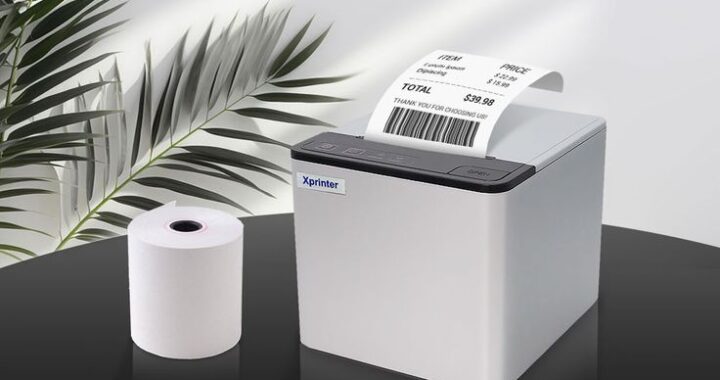

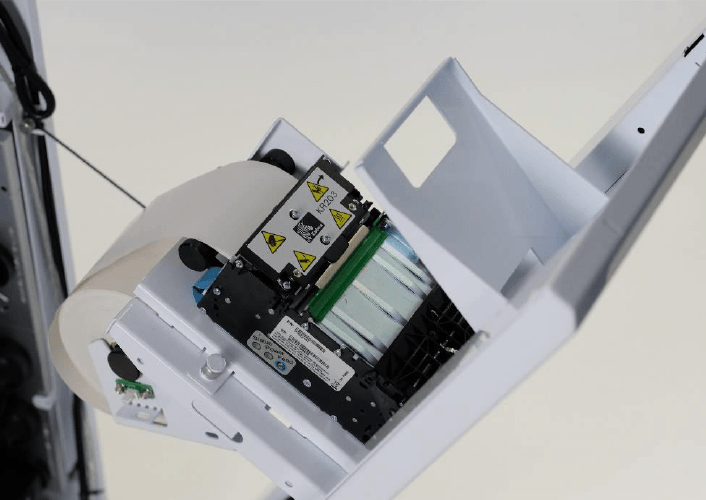
Selecting the right paper roll is an important part of maintaining reliable kiosk printing. Even when the printer itself is properly installed and configured, unsuitable paper can contribute to feeding issues, unclear output, unnecessary maintenance, or reduced printing performance.
A Thermal Kiosk Printer relies on specially coated thermal media to produce text and graphics without ink or toner. Choosing a compatible roll therefore involves more than simply matching the paper width. Businesses should also consider roll diameter, core size, coating quality, paper thickness, and the requirements of the specific application.
Understand Thermal Paper
Thermal paper contains a heat-sensitive coating that reacts when it comes into contact with the printer’s heated printhead. The coating produces the visible image as the printer selectively applies heat.
Because the printing process depends directly on the paper’s thermal coating, ordinary paper cannot be used in a direct thermal printer. The media must be designed specifically for the printer technology being used.
Check the Paper Width
Paper width is one of the first specifications to verify. The roll needs to fit the printer’s paper path and correspond with its supported print width.
Using a roll that is too wide can prevent proper installation, while paper that is too narrow may not provide the desired print area. Checking the printer’s technical documentation before purchasing replacement rolls can help avoid compatibility problems.
Consider Roll Diameter
Roll diameter determines how much paper can be stored inside the kiosk.
A larger roll can reduce the frequency of paper replacement, which can be particularly valuable in high-traffic locations. However, the roll must physically fit within the kiosk’s available space and the printer’s maximum supported diameter.
When space is restricted, businesses may need to balance paper capacity against the printer’s installation dimensions.
Check the Core Size
The internal core of the paper roll also matters. The core must be compatible with the printer’s paper holder or mounting mechanism.
An incorrect core size can cause the roll to sit improperly or make paper feeding less consistent. Before ordering large quantities, operators should confirm both the outer diameter and inner core specifications.
Evaluate Paper Thickness
Thermal paper thickness can affect feeding and handling performance.
Paper that is too thick may not move smoothly through a mechanism designed for lighter media. Conversely, extremely thin paper may be more susceptible to tearing or handling problems.
The safest approach is to select paper within the thickness range recommended by the printer manufacturer.
Look at Thermal Coating Quality
Not all thermal paper provides the same printing performance. The quality and consistency of the thermal coating can influence image clarity and printhead performance.
Good-quality thermal media should produce clear characters and consistent darkness when used with the printer’s recommended temperature settings.
Poor-quality paper may create uneven printing or require the printhead to work harder to achieve acceptable results.
Consider the Required Print Life
The expected lifespan of the printed document should also influence paper selection.
Some receipts or tickets are used for only a few minutes, while other documents may need to remain readable for weeks, months, or longer. Thermal media is available with different characteristics for applications requiring greater resistance to factors such as heat, light, moisture, or handling.
Businesses should select media according to how long the printed information needs to remain usable.
Match Paper to the Application
Different kiosk applications can have different paper requirements.
Retail Kiosks
Retail systems commonly print receipts, collection slips, order information, or transaction records. Clear text and reliable feeding are generally important.
Restaurant Kiosks
Restaurant ordering systems may print receipts or order numbers. Fast output and dependable paper feeding can be especially useful during busy service periods.
Ticketing Machines
Ticketing applications may require printed barcodes, QR codes, or other machine-readable information. Consistent print quality is important so scanners can accurately read the output.
Queue Systems
Queue-management kiosks typically print short numbered tickets. These applications may prioritize cost efficiency and sufficient roll capacity.
Think About Print Quality
Paper selection can affect more than readability. If the kiosk prints barcodes, QR codes, logos, or small characters, the media must support sufficient contrast and definition.
A printer may be technically capable of producing high-quality output, but unsuitable thermal paper can prevent it from delivering consistent results.
Testing the selected paper with the actual printer and application is a useful way to verify output quality before placing a large order.
Check Storage Conditions
Thermal paper can be sensitive to environmental conditions. Excessive heat, humidity, direct sunlight, or contact with certain chemicals can affect its performance or the longevity of printed information.
Unused rolls should generally be stored according to the paper supplier’s recommendations. Proper storage can help preserve the thermal coating before the paper is installed in the kiosk.
Avoid Paper Dust and Debris
Paper quality can also influence printer cleanliness. Excessive dust or debris may accumulate around the paper path and printhead over time.
Keeping the paper compartment clean and using suitable media can help support consistent operation. In busy locations, periodic inspection can identify buildup before it contributes to printing problems.
Calculate Paper Consumption
Businesses should estimate how much paper each kiosk uses over a typical day or week.
Factors such as average transaction volume, document length, and operating hours can help determine the appropriate roll capacity.
A simple consumption estimate can help operators decide whether smaller rolls that are replaced frequently or larger rolls that require less frequent servicing are more practical.
Confirm Printer Specifications
Before ordering paper in bulk, verify the printer’s documented media requirements.
Important specifications may include:
- Paper width
- Maximum roll diameter
- Core diameter
- Paper thickness
- Thermal sensitivity
- Recommended media type
- Print area
- Environmental requirements
Following these specifications can reduce compatibility issues and help maintain predictable printing performance.
Test Before Buying in Bulk
When introducing a new paper supplier or paper type, testing a small quantity first is a practical step.
Run the paper through the kiosk under normal operating conditions and check feeding, print darkness, cutting, paper detection, and overall document quality.
If the kiosk is used continuously, longer-duration testing can also reveal issues that may not appear during a short trial.
Balance Cost and Quality
Paper price is an important consideration, especially for businesses operating many kiosks. However, choosing the cheapest available media may not always reduce total operating costs.
Poor-quality paper can contribute to jams, inconsistent printing, frequent cleaning, or customer complaints. A slightly higher-quality roll may provide better reliability and reduce service interruptions.
The best choice is usually based on overall operating cost rather than the purchase price of each individual roll.
Conclusion
Choosing the right paper roll is essential for maintaining dependable thermal kiosk printing. Width, diameter, core size, thickness, coating quality, print life, storage conditions, and application requirements should all be considered before selecting a media type.
By following the printer’s specifications and testing paper before purchasing it in bulk, businesses can reduce compatibility problems and support consistent print quality. The right thermal paper can ultimately contribute to smoother kiosk operation and fewer maintenance interruptions.