
A receipt printer is an essential part of many retail stores, restaurants, cafés, and service businesses. Since these devices may process hundreds of transactions each day, regular maintenance is important for keeping print quality consistent and preventing avoidable interruptions.
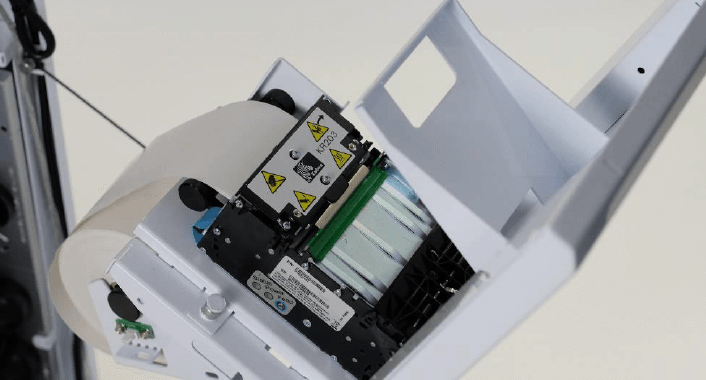
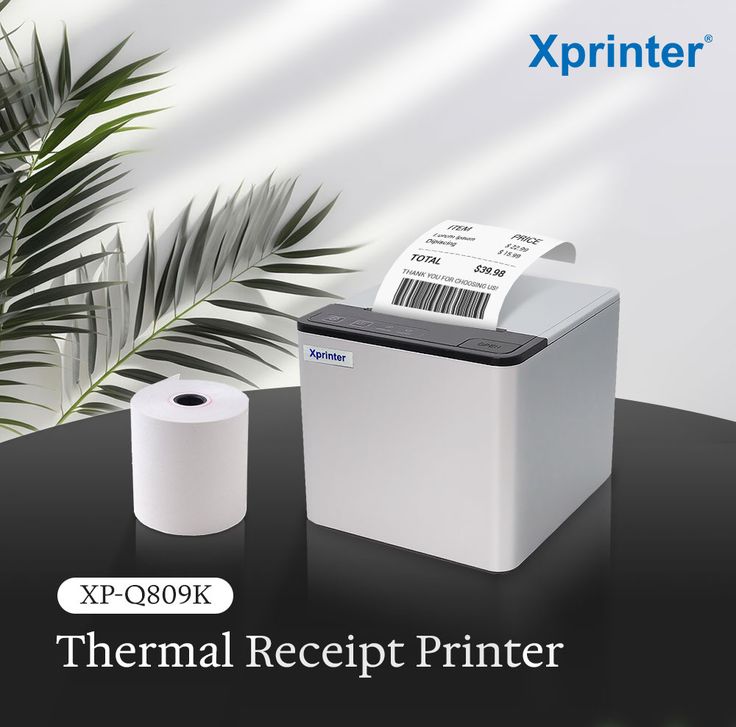
An 80mm Thermal Receipt Printer can provide fast and reliable printing when it is properly maintained. Although thermal printers do not require ink cartridges or toner, they still contain sensitive components such as the thermal print head, paper feed mechanism, and automatic cutter. Taking care of these parts can help extend the printer’s useful life and maintain dependable performance.
Why Regular Maintenance Matters
Frequent receipt printing exposes a printer to paper dust, debris, heat, and mechanical wear. Without routine care, these factors can gradually affect print clarity, paper feeding, and overall reliability.
Small problems can also become more serious if they are ignored. Establishing a simple maintenance routine can help identify potential issues before they cause significant downtime.
Keep the Thermal Print Head Clean
The thermal print head is one of the most important components in a receipt printer. It applies heat to specific areas of thermal paper to create text and images.
Dust and residue can accumulate on the print head over time, resulting in faded sections, uneven printing, or missing characters. Clean the print head periodically according to the manufacturer’s recommendations.
Always turn off and unplug the printer before cleaning it. Allow the print head to cool and use an appropriate cleaning material rather than abrasive tools that could damage its surface.
Use Suitable Thermal Paper
Paper quality has a direct effect on printing performance. Poor-quality or incompatible thermal paper can produce unclear receipts and may contribute to residue buildup inside the printer.
When replacing paper rolls, check that the roll size and specifications match the printer’s requirements. Store unused thermal paper in a cool, dry environment away from excessive heat, moisture, and direct sunlight.
Proper storage is particularly important because thermal paper is sensitive to environmental conditions.
Clean the Paper Path
Paper dust and small particles can collect inside the paper compartment and along the paper path. Over time, this buildup may interfere with smooth paper feeding.
Inspect the paper compartment regularly and remove visible dust or debris using suitable cleaning methods. Avoid forcing objects into narrow areas, as this could damage internal components.
Keeping the paper path clean can help reduce paper jams and maintain consistent receipt output.
Inspect the Automatic Cutter
Many receipt printers include an automatic cutter that separates printed receipts after each transaction. In busy environments, the cutter may be used thousands of times over its working life.
If receipts begin to stick together, cut unevenly, or fail to separate correctly, inspect the cutter for paper fragments or debris. Follow the manufacturer’s instructions when cleaning or troubleshooting the mechanism.
Do not attempt to force a stuck cutter because excessive pressure can damage the mechanism.
Prevent Overheating
Thermal printers generate heat during operation, and adequate ventilation is important for reliable performance. Avoid placing the printer directly against walls, enclosed equipment, or other heat-producing devices.
Leave sufficient space around ventilation areas and keep the printer away from direct sunlight or sources of excessive heat. In high-volume environments, proper airflow can be particularly important.
Check Connections Regularly
Loose or damaged cables can cause intermittent printing problems that may appear to be software or hardware failures.
Periodically inspect USB, Ethernet, serial, or other connections used by the printer. Make sure cables are securely connected and positioned where they will not be pulled, bent excessively, or exposed to frequent movement.
For wireless models, also verify that the printer maintains a stable connection with the POS system.
Keep Drivers and Software Updated
Printer performance can depend on communication between the device, operating system, and POS software. Outdated or incompatible drivers may cause printing errors or communication problems.
Check for appropriate software or driver updates when experiencing compatibility issues. Before installing an update, confirm that it is intended for the specific printer model and operating environment.
Keeping the software environment properly maintained can reduce unnecessary connectivity problems.
Avoid Overloading the Printer
High-volume businesses may need to print receipts continuously throughout the day. While thermal printers are designed for frequent use, every model has operational limitations.
Follow the manufacturer’s recommended duty cycle and operating guidelines. If the printer becomes unusually hot, produces inconsistent output, or begins experiencing repeated errors, allow it to cool and investigate the cause rather than continuing to operate it under abnormal conditions.
Handle Paper Jams Carefully
Paper jams should be addressed promptly but carefully. Pulling paper forcefully can damage internal rollers or other components.
Turn off the printer when appropriate and follow the manufacturer’s procedure for removing jammed paper. Check that no small pieces remain inside the paper path before reinstalling a fresh roll.
If jams occur repeatedly despite using suitable paper, the problem may involve the feed mechanism or another internal component that requires professional inspection.
Create a Simple Maintenance Schedule
A consistent maintenance schedule makes it easier to prevent problems. The exact frequency should depend on printing volume and the operating environment.
A basic routine can include:
- Daily: Check paper supply, print quality, and obvious paper debris.
- Weekly: Inspect the paper path, connections, and external surfaces.
- Periodically: Clean the thermal print head and inspect mechanical components according to manufacturer guidance.
- As needed: Address unusual noises, repeated paper jams, faded printing, or cutter problems.
Businesses with particularly high transaction volumes may need more frequent cleaning and inspections.
Recognize Signs of Potential Problems
Early warning signs can indicate that a printer needs attention. Faded receipts, missing lines, inconsistent darkness, unusual noises, frequent paper jams, or communication failures should not be ignored.
Identifying these symptoms early can help prevent a minor maintenance issue from developing into a costly equipment failure.
If cleaning and basic troubleshooting do not resolve the problem, consult the manufacturer’s technical documentation or a qualified service professional.
Conclusion
Long-term receipt printer performance depends on consistent care rather than occasional troubleshooting. Keeping the print head and paper path clean, using compatible thermal paper, checking connections, and protecting the device from excessive heat can all contribute to reliable operation.
For businesses that depend on frequent receipt printing, a simple preventive maintenance routine can reduce downtime and preserve print quality. By following the manufacturer’s recommendations and addressing problems early, an 80mm thermal receipt printer can remain a dependable part of a business’s point-of-sale system for an extended period.